> For the complete documentation index, see [llms.txt](https://huongdan.trustsales.vn/llms.txt). Markdown versions of documentation pages are available by appending `.md` to page URLs; this page is available as [Markdown](https://huongdan.trustsales.vn/huong-dan-s-dung-ket-noi-cac-kenh/ket-noi-tiktok-shop/quan-ly-san-pham/tim-kiem-san-pham.md).
# TÌM KIẾM SẢN PHẨM
Chức năng cho phép người dùng tìm kiếm sản phẩm trong gian hàng TikTok Shop của mình trên TrustSales
### Các bước thực hiện Tìm kiếm sản phẩm **TikTok Shop trên TrustSales**:
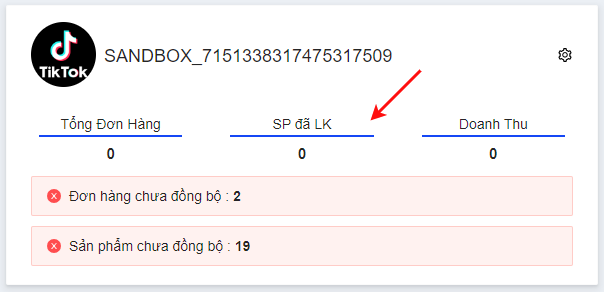
**Bước 1**: Tại giao diện TikTok Shop trên TrustSales, nhấp vào  trên gian hàng muốn truy cập để quản lý sản phẩm
Nhấp để truy cập vào Danh sách sản phẩm
**Bước 2**: Màn hình hiển thị giao diện **Danh sách sản phẩm** của gian hàng đó
Màn hình sản phẩm Tiktok
**Bước 3**: Tại thanh tìm kiếm đơn hàng, nhập vào tiêu chí tìm kiếm và chọn filter tìm kiếm
Bộ lọc nâng
{% hint style="info" %}
**Tiêu chí tìm kiếm**: **Mã sản phẩm** hoặc **Tên sản phẩm**
{% endhint %}
{% hint style="info" %}
**TikTok Shop Seller**: Tìm kiếm sản phẩm theo gian hàng TikTok Shop
**Trạng thái liên kết**: Sản phẩm đã liên kết hoặc chưa liên kết
{% endhint %}
**Bước 4**: Nhấp vào  hoặc  hoặc nút **Enter** trên bàn phím để tìm kiếm đơn hàng
**Bước 5**: Màn hình hiển thị sản phẩm theo tiêu chí tìm kiếm tương ứng
Giao diện Danh sách sản phẩm theo tiêu chí tìm kiếm